
Switching Between the New and Old Interfaces
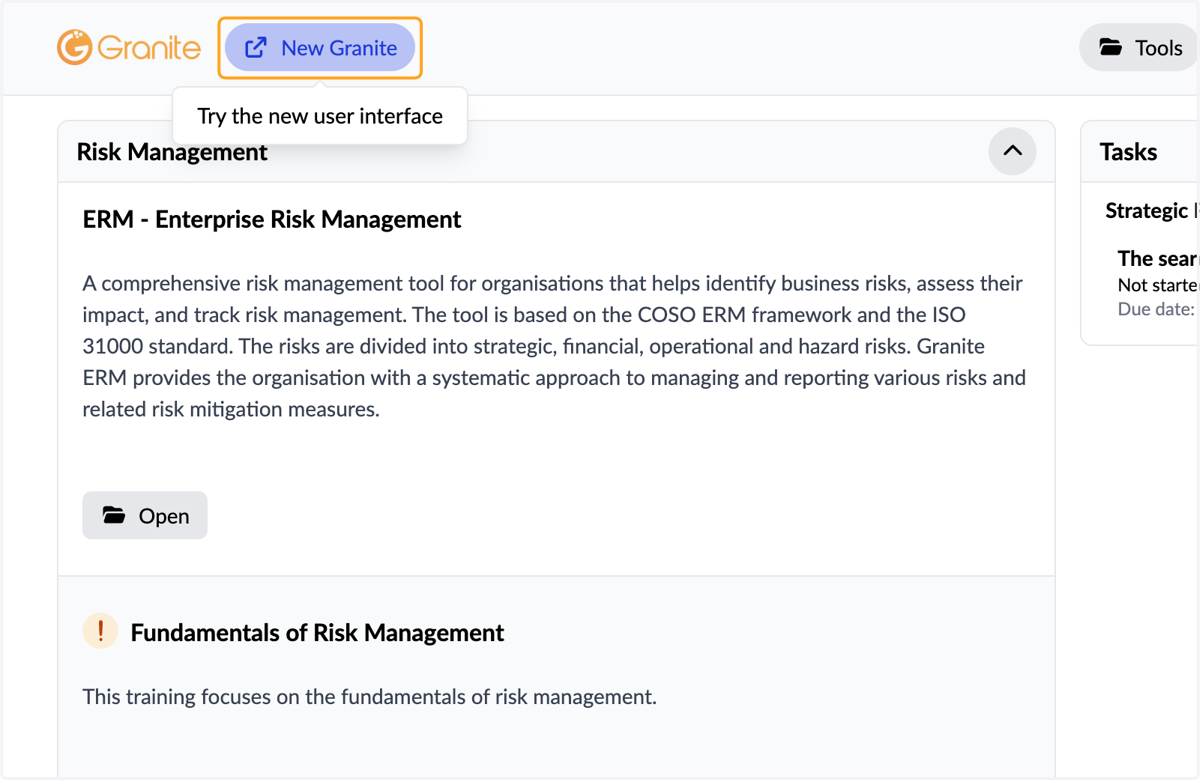
1. Switch to Granite's new interface by clicking the "Try the new user interface" button at the top of the page.
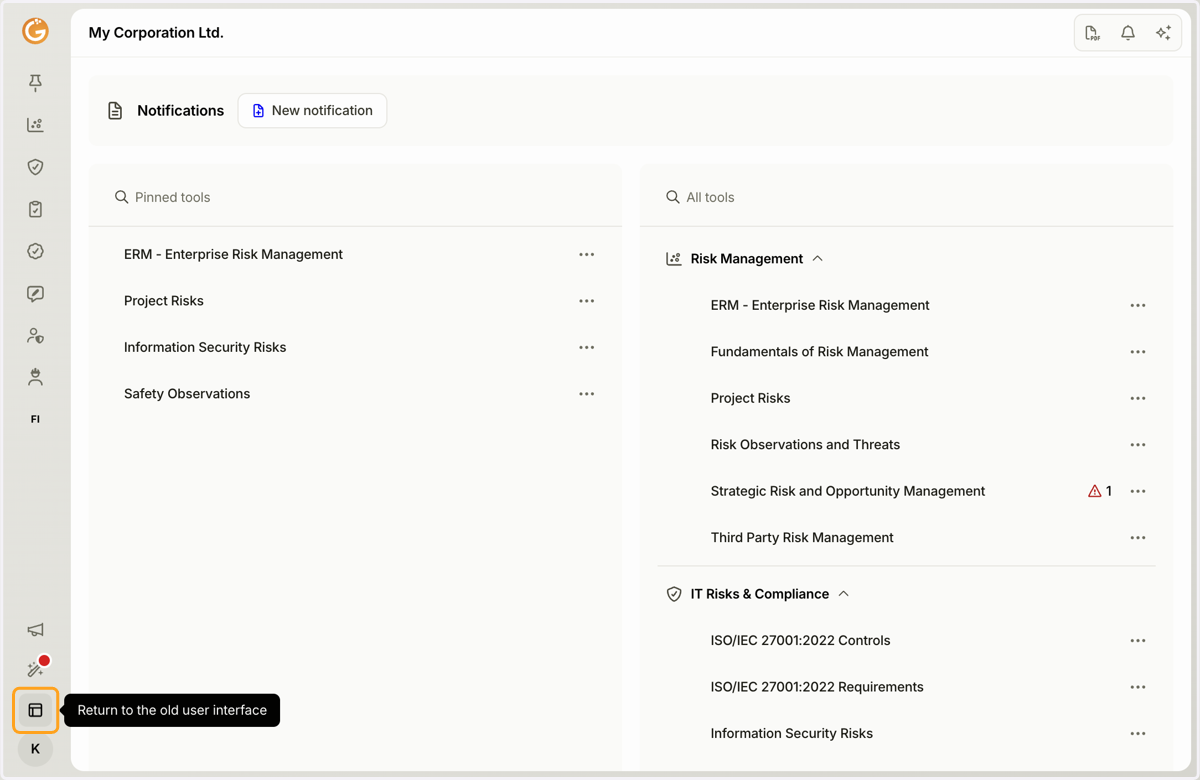
Switching between interfaces does not affect the integrity of your data in Granite, so you can safely explore the new interface.
2. Switch back to Granite's old interface by clicking the "Return to the old user Interface" button in the bottom-left corner.
Updated on: 21/10/2026
Thank you!