
Submitting a Report
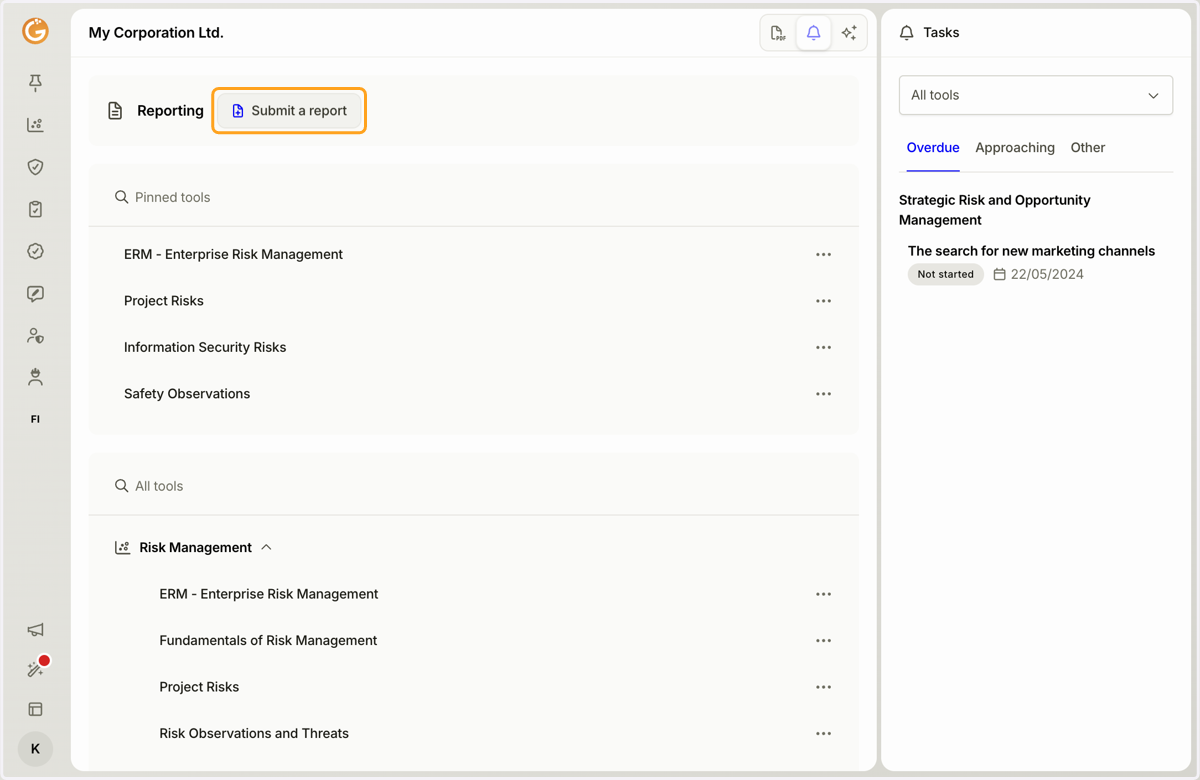
1. Click the "Submit a Report" button.
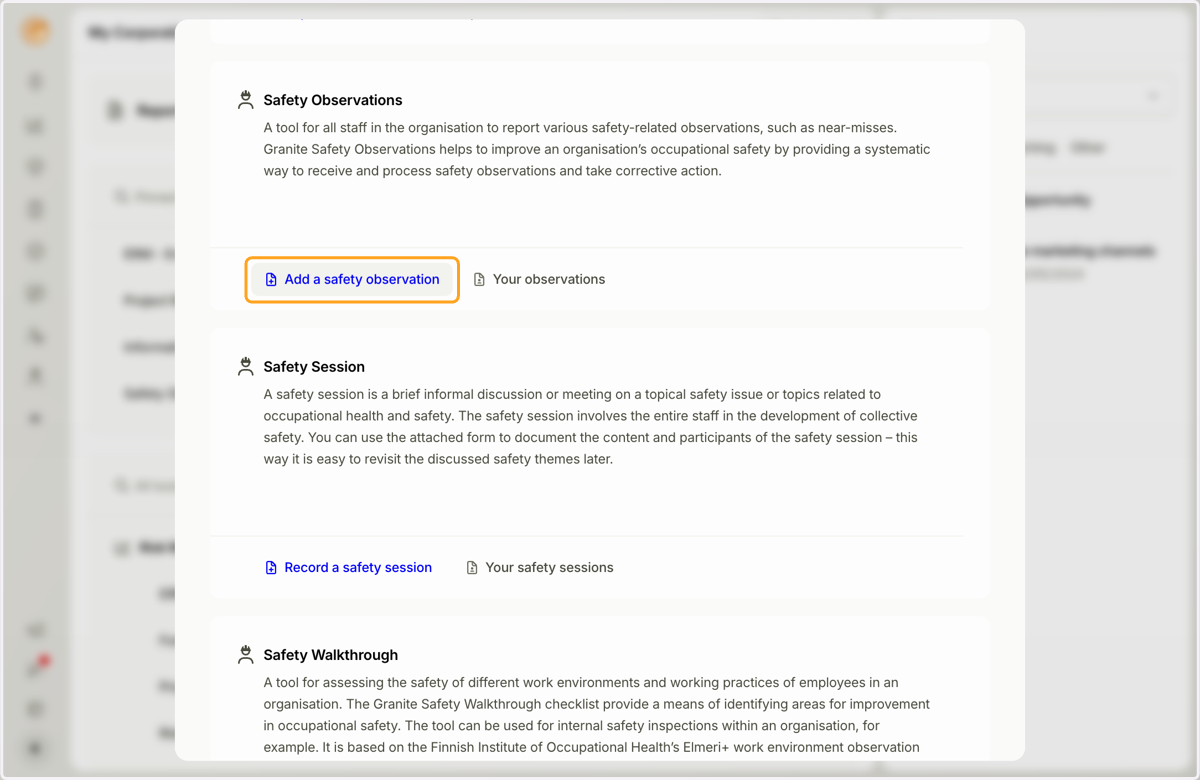
2. Select the type of report you want to submit.
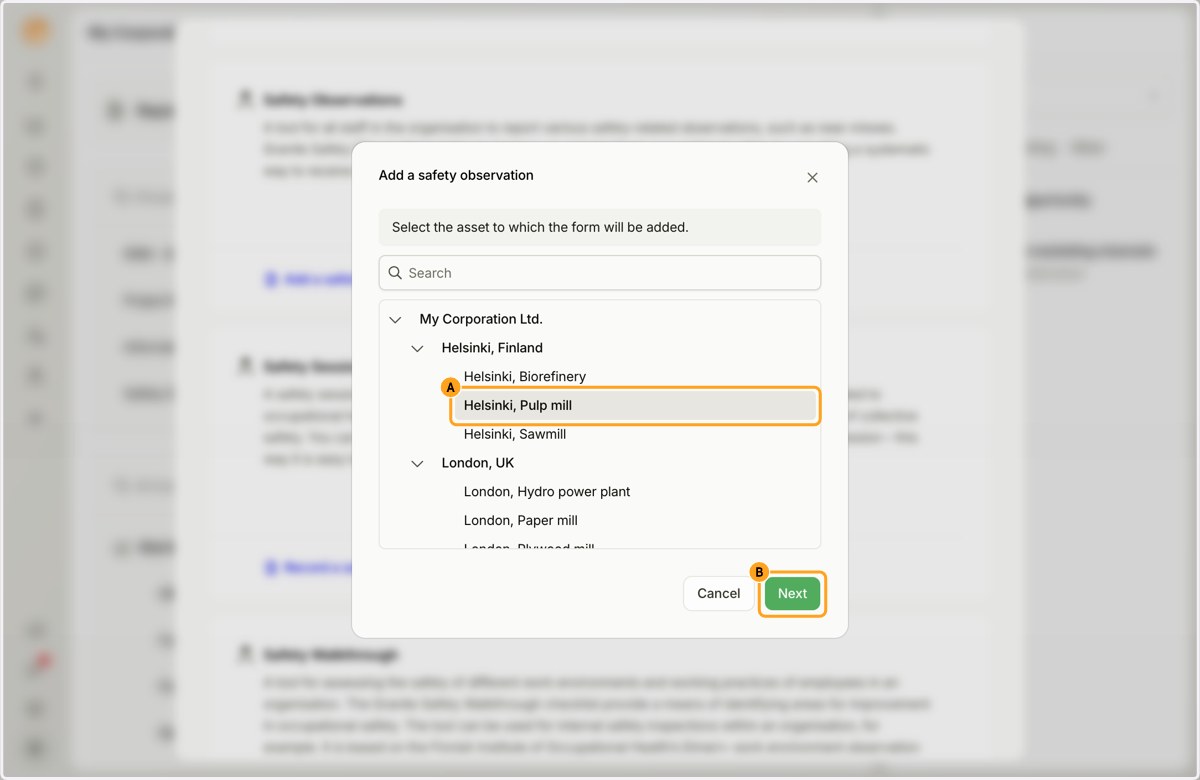
3. A. Select the asset where you want to submit the report.
B. Click the "Next" button.
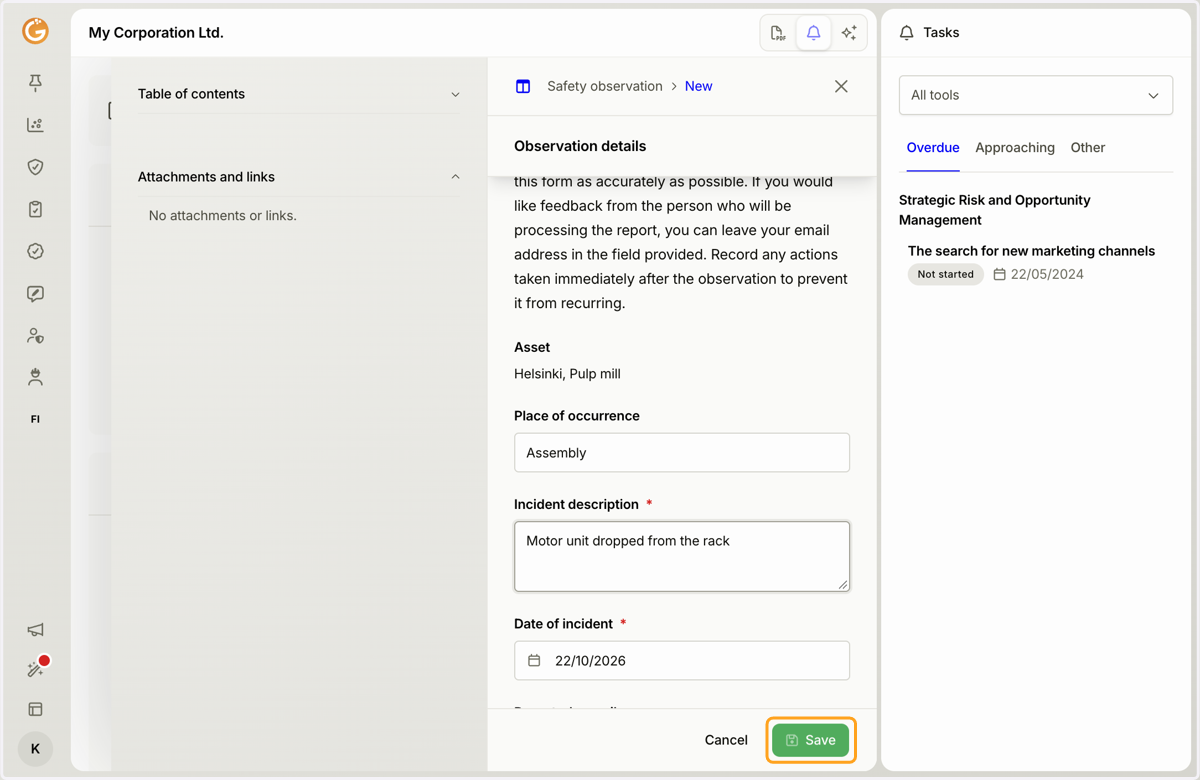
4. A. Fill in the required form fields.
B. Mandatory fields are marked with an asterisk (*).
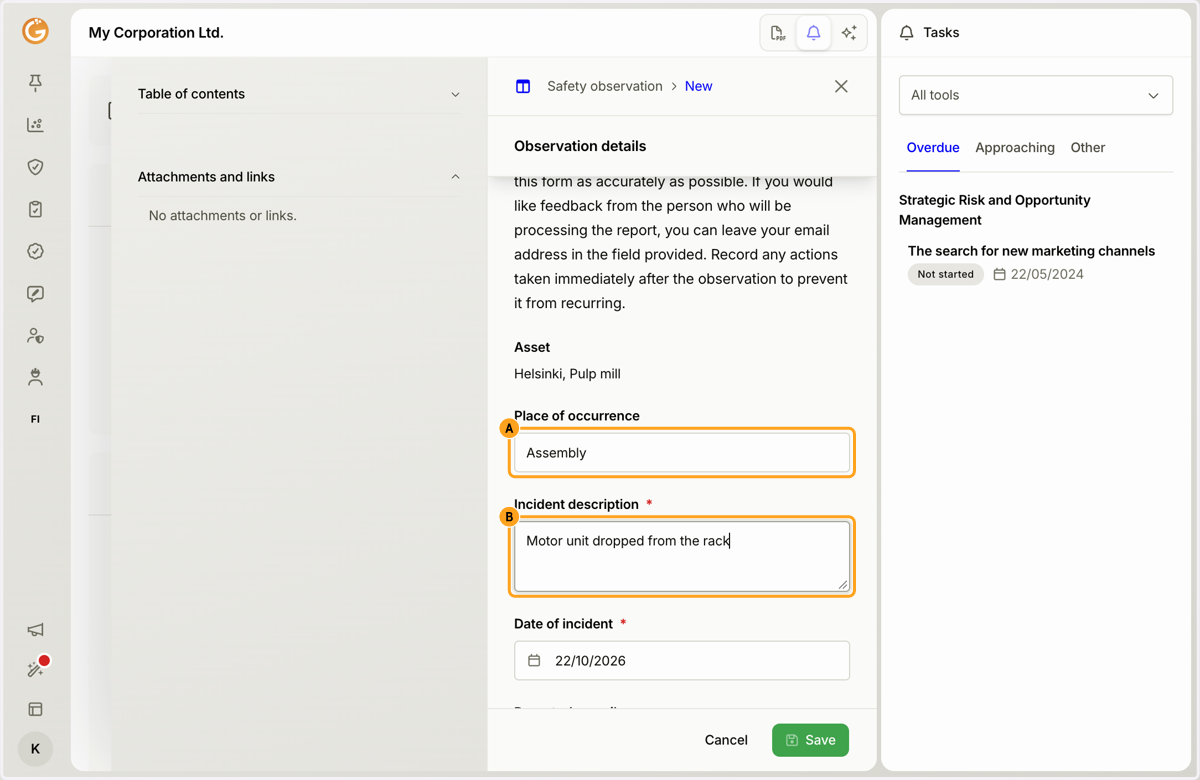
5. Click the "Save" button.
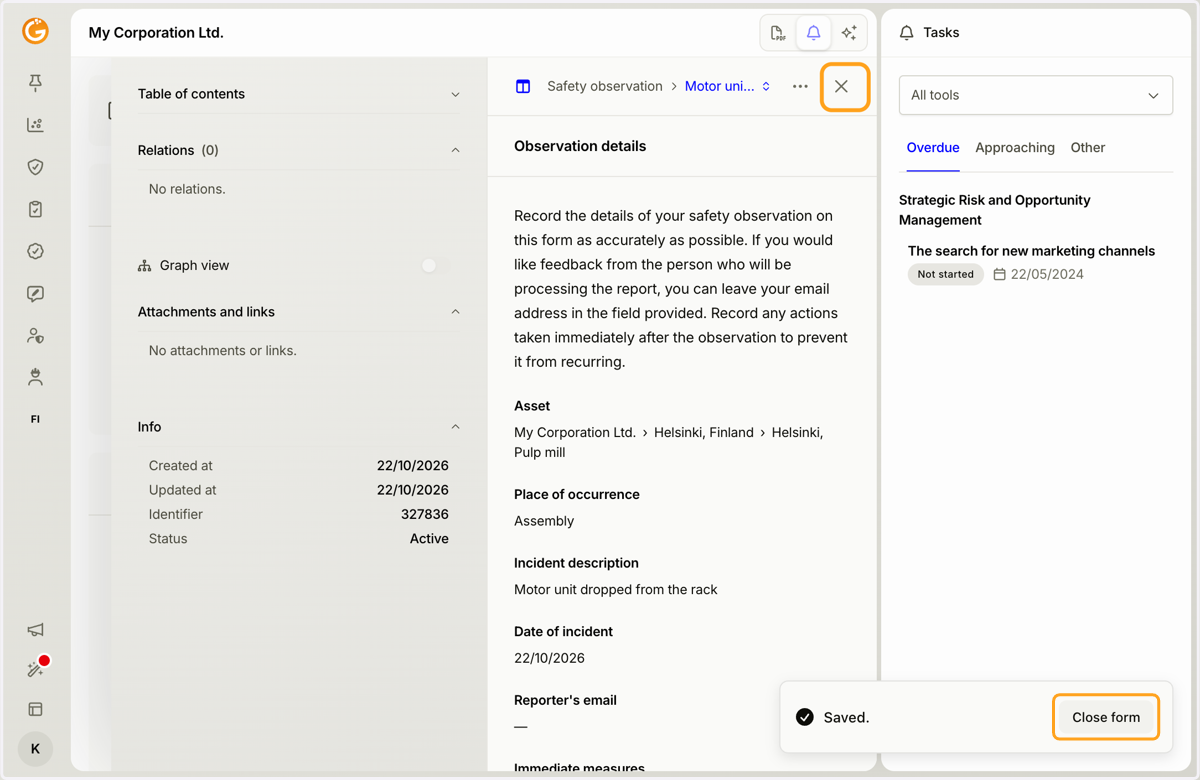
6. Click the "Close form" button or X icon to close the submitted report.
Updated on: 22/10/2026
Thank you!