
Adding a Form
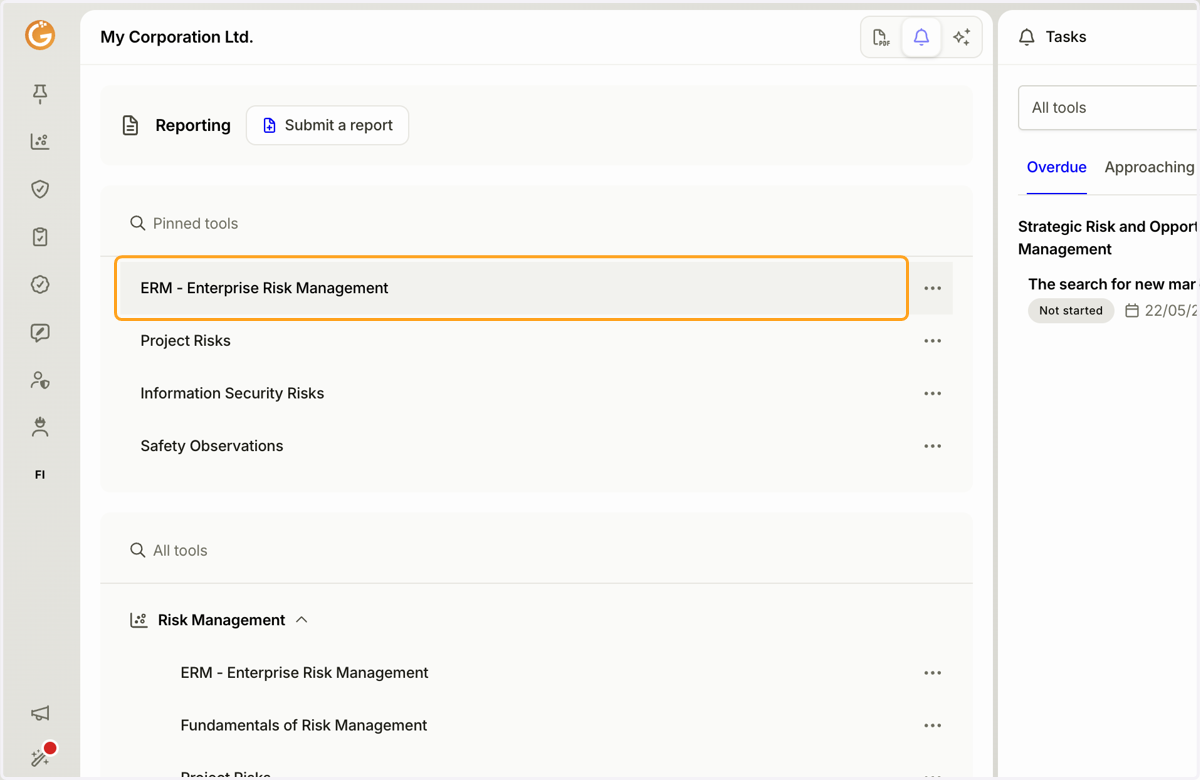
1. Click the name of the tool you want to open.
On the Granite home page, select the tool where you want to add a new form.
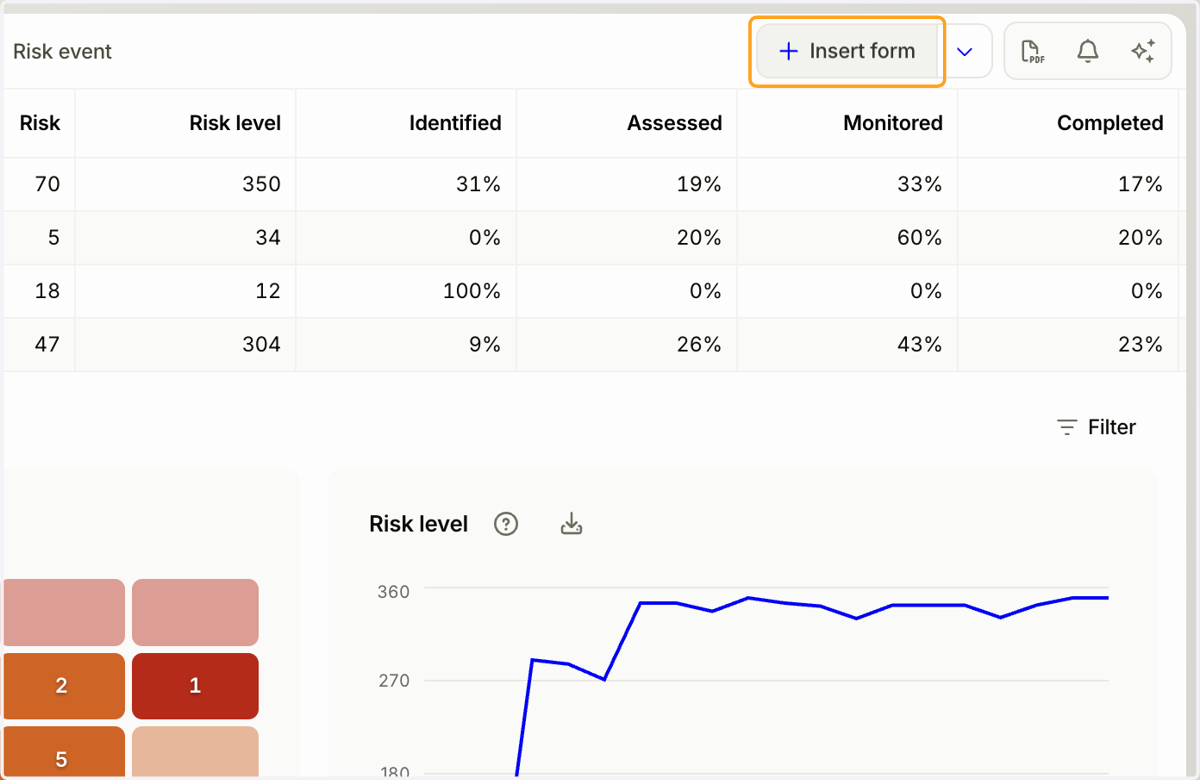
2. Click the "Add Form" button.
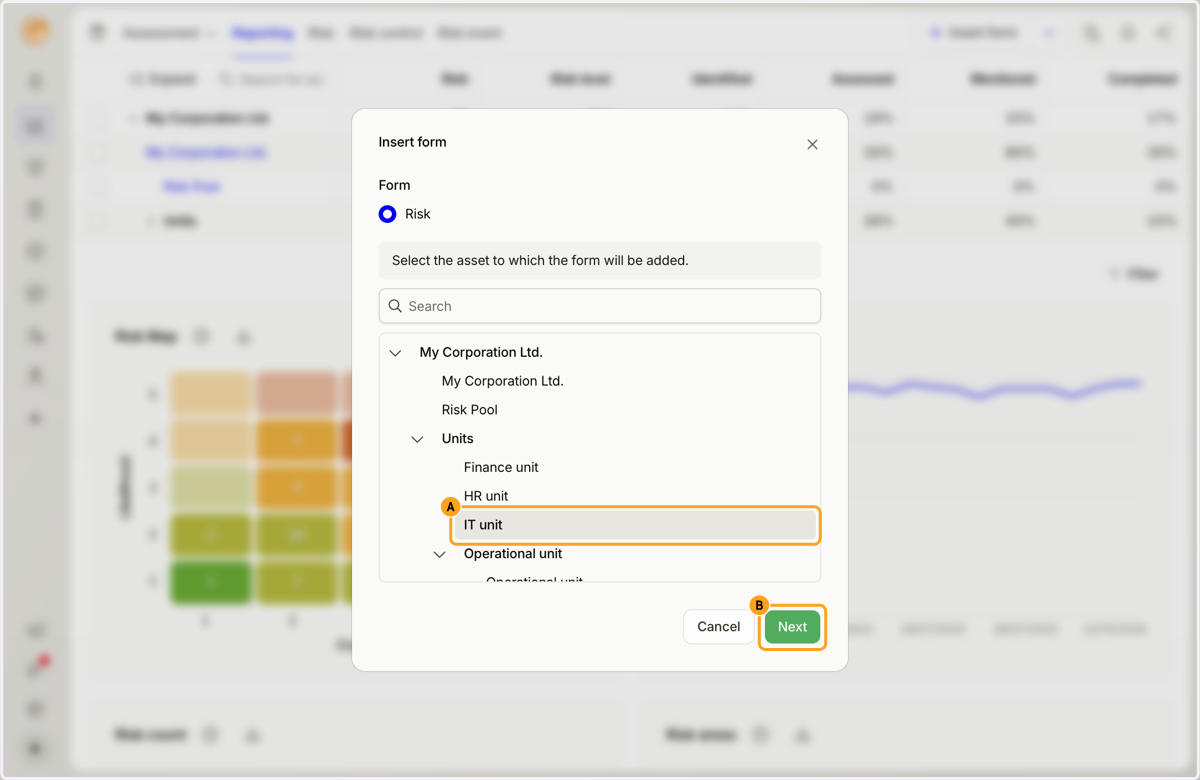
3. A. Select the asset where you want to add the new form.
B. Click the "Next" button.
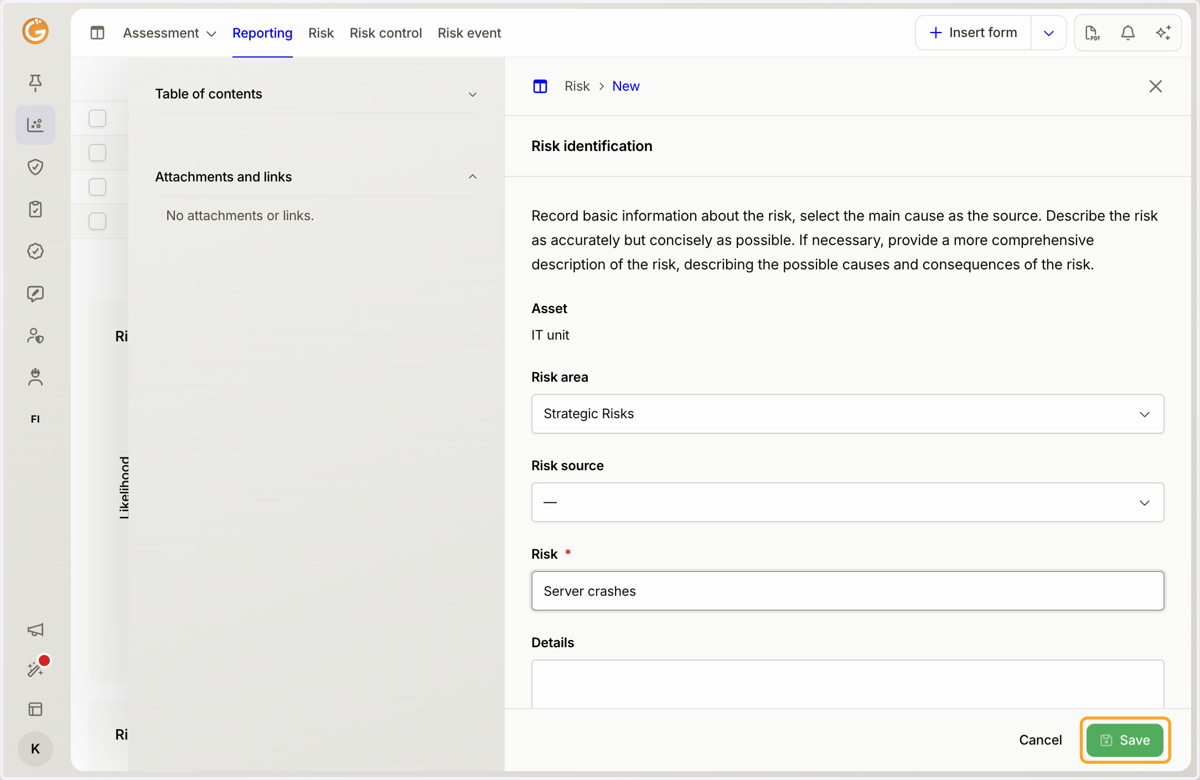
4. Fill in the required information on the form.
Mandatory fields are marked with an asterisk (*).
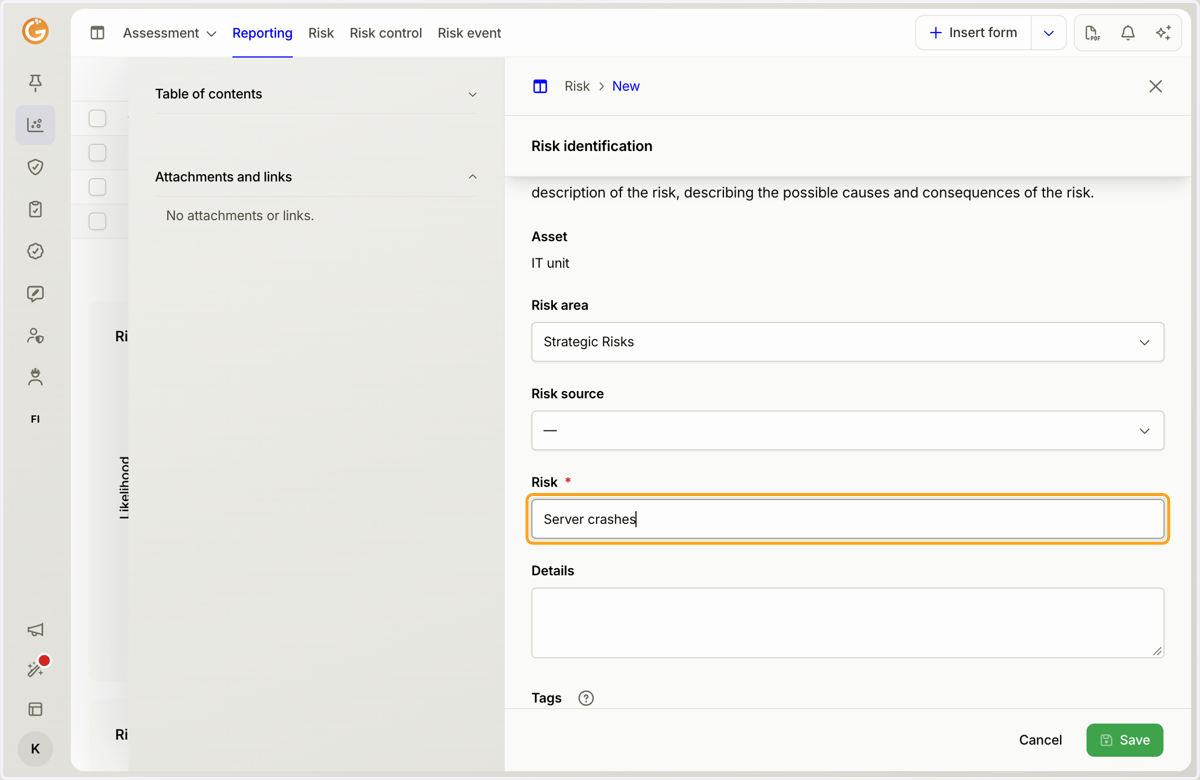
5. Click the "Save" button.
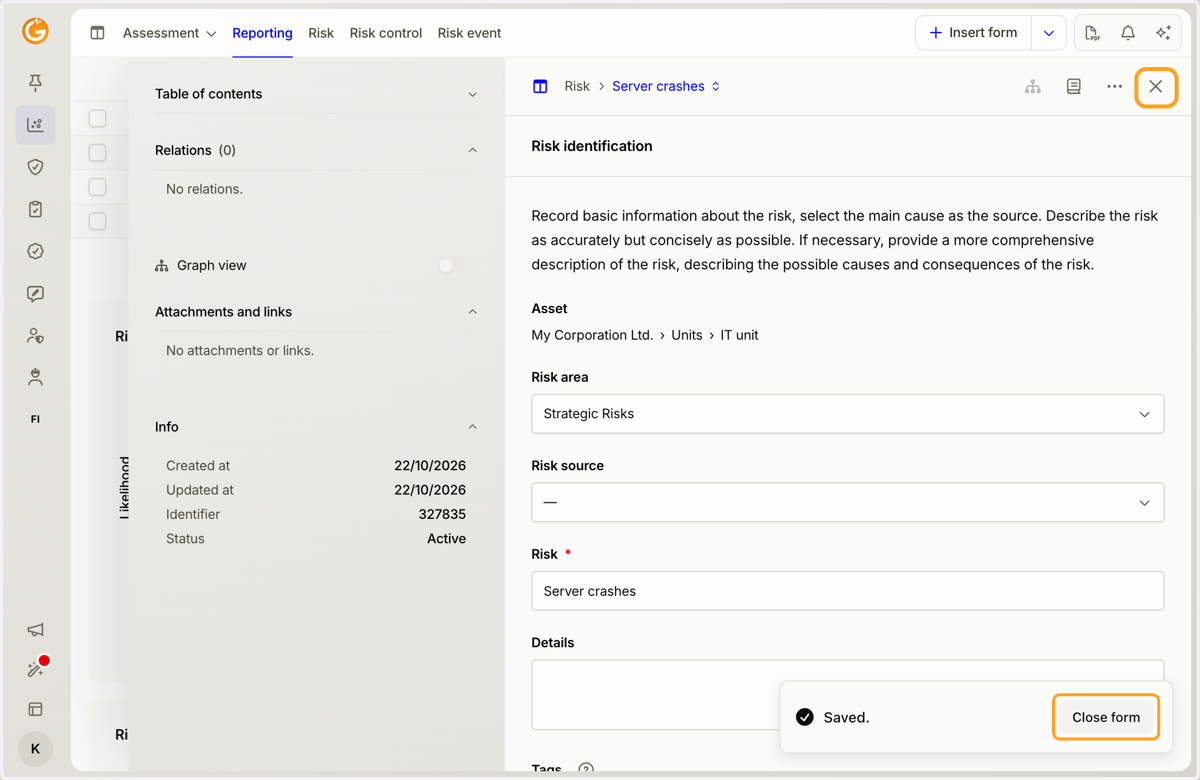
6. Close the form by clicking the "Close Form" button or the X icon in the top-right corner.
You can also save your progress and continue filling in the form without closing it.
Updated on: 22/10/2026
Thank you!